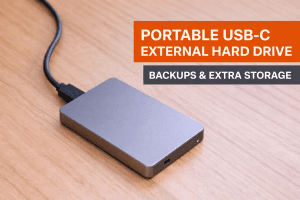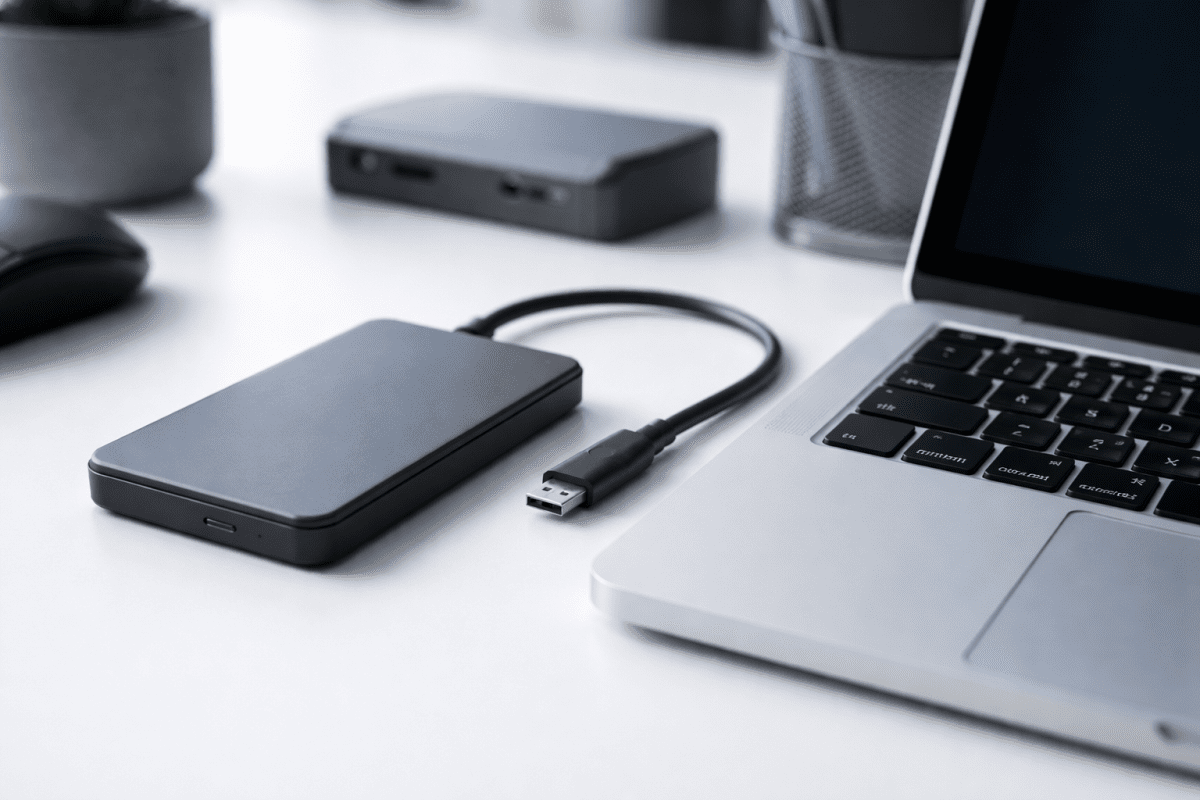
A USB-C hard drive is an external hard disk drive (HDD) that connects using a USB-C interface. It’s designed for modern laptops and desktops that rely on USB-C ports for data transfer, charging, and peripherals.
USB-C hard drives are commonly used for backups, file storage, media libraries, and long-term data archiving. They prioritise capacity and affordability over raw speed, making them a smart choice if you need lots of storage at a sensible price.
What Is a USB-C Hard Drive?
A USB-C hard drive is simply an external HDD that connects via USB-C. In most cases, the “USB-C” part refers to the connector and cable type, while the drive inside is still a traditional spinning hard disk drive (HDD).
Because HDDs are built for capacity rather than speed, they’re ideal for backups, storing photos and videos, and moving large libraries of files without spending SSD money.
Why Choose a USB-C Hard Drive?
- Large capacity at a lower price than SSDs
- Plug-and-play setup for most laptops and desktops
- Great compatibility with modern USB-C devices
- Bus-powered (many portable models don’t need external power)
- Ideal for backups and long-term storage
Top USB-C Hard Drives to Consider
If you’re choosing a USB-C hard drive, focus on reputable brands, solid build quality, and the right capacity for your needs. Here are strong options to consider:
- Toshiba 2TB Canvio Flex Portable Hard Drive (Brand: Toshiba)
- LaCie Rugged 2TB Portable External Hard Drive (Brand: LaCie)
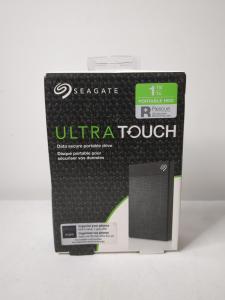
- Seagate Ultra Touch 1TB USB-C External Hard Drive (Brand: Seagate)
- WD 5TB My Passport Ultra Portable Hard Drive (Brand: WD)
- LaCie 8TB Professional USB-C External Hard Drive (Brand: LaCie)
USB-C Hard Drive vs USB-C SSD
Many people compare USB-C hard drives to USB-C SSDs. The key difference is speed vs value.
USB-C Hard Drive (HDD)
- Slower than SSDs
- Cheaper per terabyte
- Best for backups and storage
- Often available in higher capacities
USB-C Solid-State Drive (SSD)
- Much faster transfer speeds
- More expensive per GB
- Better for performance tasks (editing, frequent transfers)
Rule of thumb: If you care most about storage space and affordability, choose a USB-C hard drive. If you care most about speed, choose a USB-C SSD.
Common Types of USB-C Hard Drives
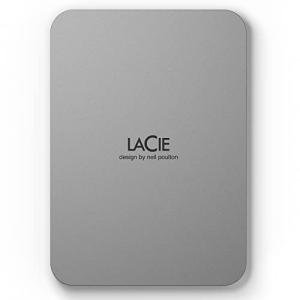
Portable USB-C Hard Drives
Portable drives are the most common option and are designed for everyday use.
Best for:
- Everyday backups
- Students and home users
- Travel and portability
They’re compact, lightweight, and typically powered directly from your device.
Desktop USB-C Hard Drives
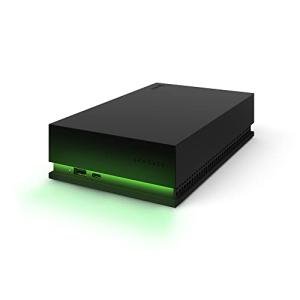
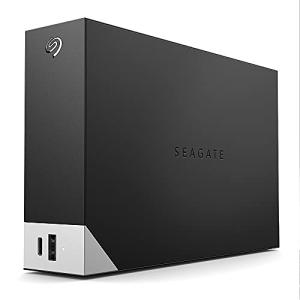
Desktop drives are larger, higher-capacity options intended for stationary setups.
Best for:
- Large media libraries
- Long-term backups
- Home or office storage
Many desktop drives require external power but can offer larger capacities.
Rugged USB-C Hard Drives
Rugged drives are built to handle knocks, drops, and travel better than standard models.
Best for:
- Travel
- Outdoor use
- Field work
How to Choose the Right USB-C Hard Drive
1. Storage Capacity
- 1TB–2TB: Documents, photos, light backups
- 4TB–5TB: Media libraries and system backups
- 6TB+: Archival and long-term storage
2. Build Quality
If you travel often, look for shock-resistant casing, reinforced corners, and a durable enclosure. This helps protect the drive and your data.
3. Compatibility
Most USB-C hard drives work with Windows and macOS. Some may require reformatting depending on the file system used.
4. Included Cables
Check whether the drive includes a USB-C to USB-C cable, and ideally a USB-C to USB-A cable for older devices.
What to Avoid When Buying a USB-C Hard Drive
- Overpaying for “speed” you don’t need (HDDs have natural speed limits)
- Very thin drives with poor shock protection
- Ignoring compatibility and formatting requirements
- Extremely cheap unbranded models with unclear reliability
Frequently Asked Questions About USB-C Hard Drives
Are USB-C hard drives faster than USB-A hard drives?
USB-C hard drives can offer slightly better performance than older USB-A drives, mainly due to newer controller support and improved bandwidth. However, most USB-C hard drives are still limited by traditional HDD speeds and are much slower than USB-C SSDs.
Do USB-C hard drives work with older laptops?
Yes. Many USB-C hard drives include a USB-C to USB-A cable, allowing them to work with older laptops and desktop computers. If not included, a compatible adapter can be used.
Are USB-C hard drives good for backups?
Yes. USB-C hard drives are one of the most cost-effective solutions for backups. They offer large storage capacities and are ideal for system images, media libraries, and long-term file storage.
Can I use a USB-C hard drive with macOS and Windows?
Most USB-C hard drives work with both macOS and Windows. Some may need to be reformatted for full compatibility, depending on the file system used.
Should I buy a USB-C hard drive or a USB-C SSD?
If you prioritise storage capacity and affordability, a USB-C hard drive is the better choice. If you need fast transfer speeds for video editing or large file transfers, a USB-C SSD is the better option.
Conclusion
USB-C hard drives remain a practical and affordable storage solution in 2025, especially for users who need large amounts of space without paying premium SSD prices. They are ideal for backups, media storage, and everyday file management.
While they don’t match the speed of USB-C SSDs, USB-C hard drives excel at what matters most for many users: reliability, capacity, and value for money. By choosing the right capacity, build quality, and compatibility, you can confidently add dependable external storage to your setup.
If you’re looking for an easy way to expand your storage or protect important data, a USB-C hard drive is still a smart investment.
Recommended Internal Links (Add Before Publishing)
- USB-C Storage Category
- Efficient Data Transfer with USB-C Storage
- Unlocking USB-C's External Storage Power
- USB-C External Hard Drives: The Future?
- The 5 Best USB-C External SSDs & Hard Drives