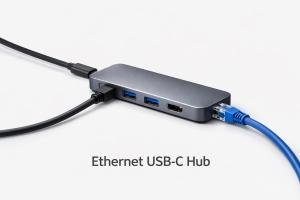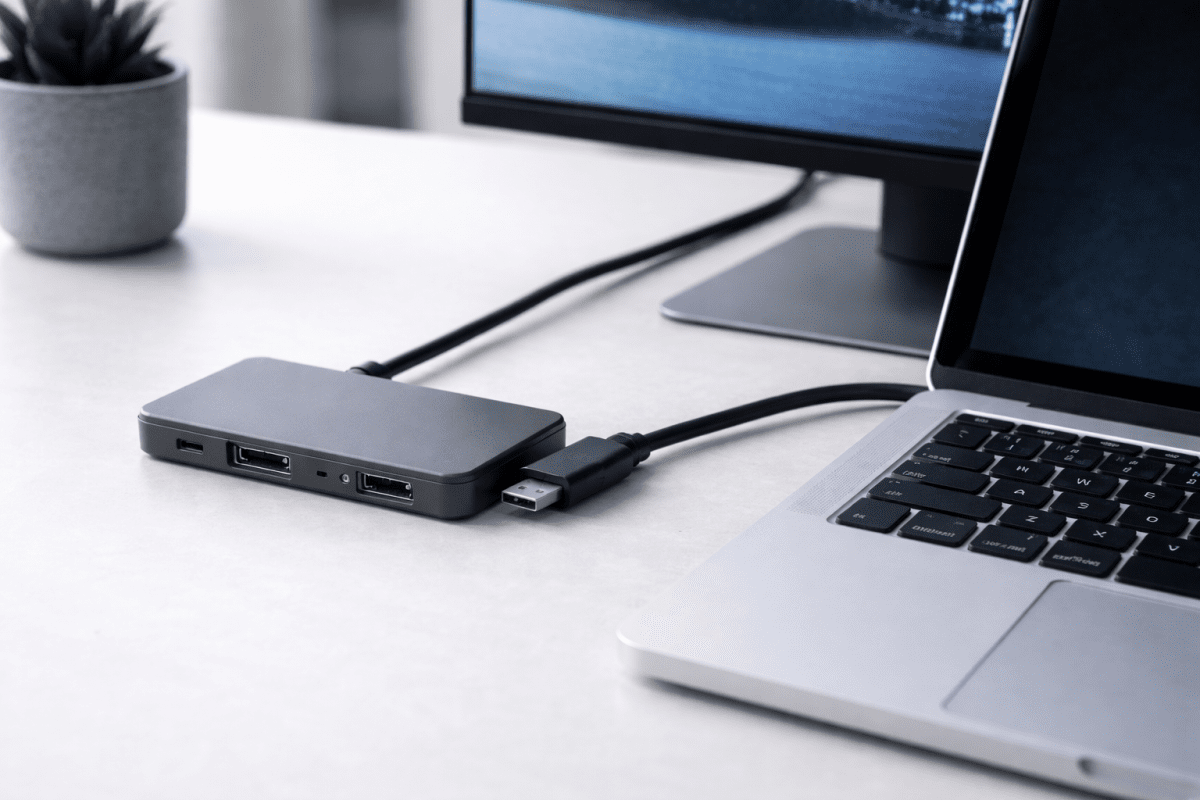
An HDMI USB-C hub is a multi-port adapter that allows you to connect an external display via HDMI while expanding your device with additional ports such as USB, charging, Ethernet, or SD card readers.
These hubs are especially useful for modern laptops and devices with limited ports, making them essential accessories for home offices, travel setups, and everyday productivity.
Browse compatible devices in our USB-C hubs collection.
What Is an HDMI USB-C Hub?
An HDMI USB-C hub connects to a single USB-C port and provides HDMI video output along with extra connectivity options. This allows users to connect monitors, TVs, or projectors while still using keyboards, storage devices, and charging cables.
Most HDMI USB-C hubs support video output, data transfer, and power delivery through one compact device.
Why Use an HDMI USB-C Hub?
- Connect an external display using HDMI
- Expand limited USB-C ports into multiple connections
- Charge your device while using accessories
- Create a desktop setup from a laptop or tablet
- Ideal for presentations, home offices, and travel
Common Uses for HDMI USB-C Hubs
Home Office & Workstations
HDMI USB-C hubs allow laptops to connect to larger monitors, keyboards, and mice, helping you work more efficiently. Many users combine hubs with Ethernet adapters for stable connections, as explained in our USB-C Ethernet adapters guide.
Presentations & Meetings
With an HDMI USB-C hub, you can quickly connect to projectors or screens without installing extra software. This makes them ideal for business meetings and classrooms.
Entertainment & Media
HDMI USB-C hubs are also popular for streaming content from laptops or tablets to TVs while keeping devices powered and connected.
HDMI USB-C Hub Compatibility
Not all USB-C ports support video output. Your device must support DisplayPort Alt Mode for HDMI output to function correctly.
HDMI USB-C hubs are commonly compatible with:
- Windows laptops with USB-C display support
- MacBooks and MacBook Pros
- USB-C tablets
- Some smartphones with video output support
For a deeper look at adapters and compatibility, see our guide on unlocking the potential of USB-C adapters.
Key Features to Look For in an HDMI USB-C Hub
1. HDMI Resolution Support
Look for hubs that support at least 4K at 30Hz. For smoother visuals, especially on larger displays, choose a hub that supports 4K at 60Hz.
2. Power Delivery (PD)
Power Delivery allows you to charge your device through the hub while using other ports, reducing cable clutter.
3. Number of Ports
Common ports include USB-A, USB-C, HDMI, Ethernet, and SD card readers. If you frequently use legacy devices, USB-A ports are still very useful.
4. Build Quality
Aluminium housings and reinforced cables help with heat dissipation and long-term durability.
Popular HDMI USB-C Hubs to Consider
- Anker 5-in-1 USB-C Hub Adapter with HDMI from Anker
- Anker 7-in-1 USB-C Hub with HDMI and USB Ports from Anker
- Belkin 4-Port USB-C Hub with Power Delivery by Belkin
- Sabrent USB-C Hub from Sabrent
HDMI USB-C Hub vs Docking Station
While HDMI USB-C hubs and docking stations look similar, they serve different purposes.
- USB-C Hub: Compact, portable, ideal for travel and everyday use
- Docking Station: Larger, more ports, designed for permanent desk setups
If portability matters, an HDMI USB-C hub is usually the better choice.
Frequently Asked Questions About HDMI USB-C Hubs
Do HDMI USB-C hubs work with all laptops?
No. Your USB-C port must support DisplayPort Alt Mode. Not all USB-C ports provide video output.
Can an HDMI USB-C hub charge my laptop?
Yes, if the hub supports Power Delivery and your charger provides enough wattage.
Do HDMI USB-C hubs support dual monitors?
Most basic hubs support only one HDMI display. Dual-monitor setups usually require a docking station.
Are HDMI USB-C hubs suitable for everyday use?
Yes. They’re ideal for home offices, travel, presentations, and general productivity.
Conclusion
An HDMI USB-C hub is one of the most useful accessories for modern devices with limited ports. It allows you to connect external displays, expand connectivity, and maintain productivity using a single USB-C connection.
By choosing a hub with the right HDMI resolution support, power delivery, and build quality, you can create a flexible setup that works at home, in the office, or on the go.
If your device relies on USB-C and you need external display support, an HDMI USB-C hub is a smart and practical investment in 2025.